

nudgit
Your UI. Your feedback. Agent-ready.
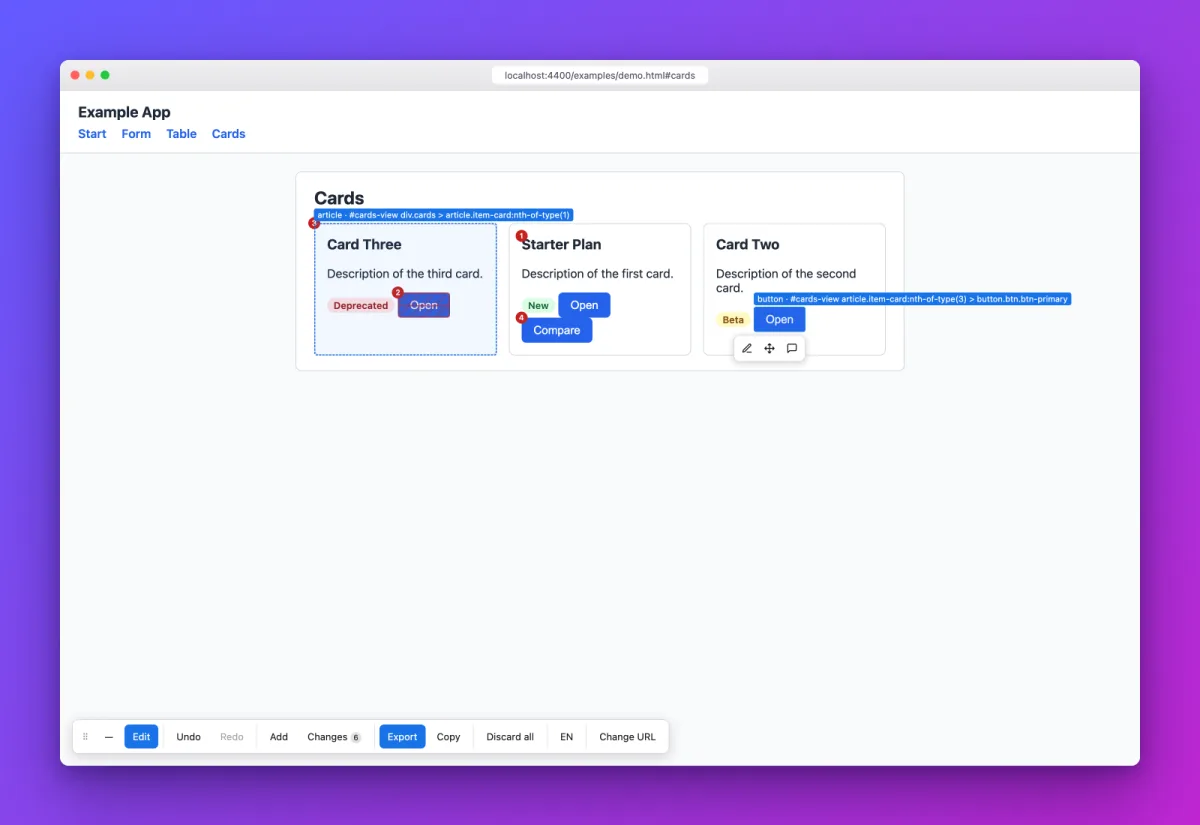
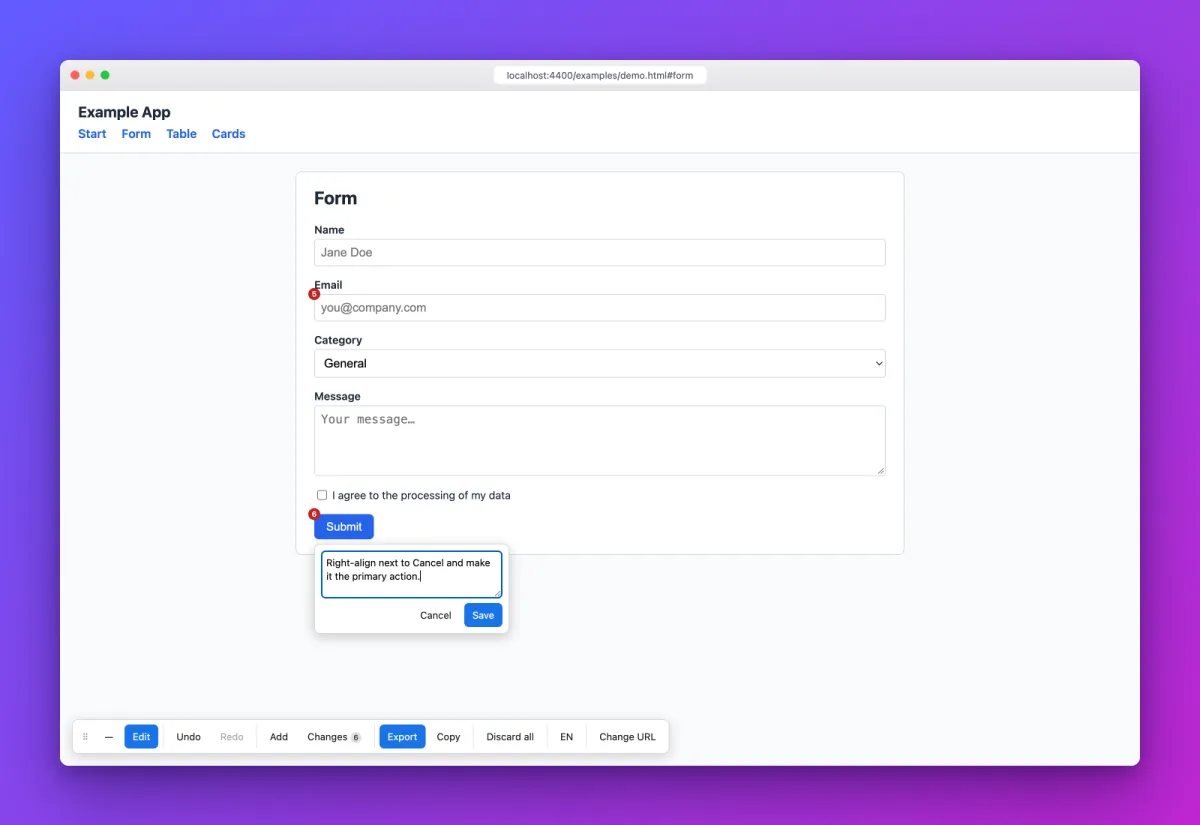
Edit, move and annotate elements directly in your browser. Turn visual feedback into actionable instructions for your coding agent. A screenshot with red arrows rarely explains exactly what should change, and a coding agent cannot read red arrows anyway. nudgit lays an overlay over any running web app: click elements, edit text and descriptions, move, duplicate, add from a palette of similar elements, remove, or comment right on the page.
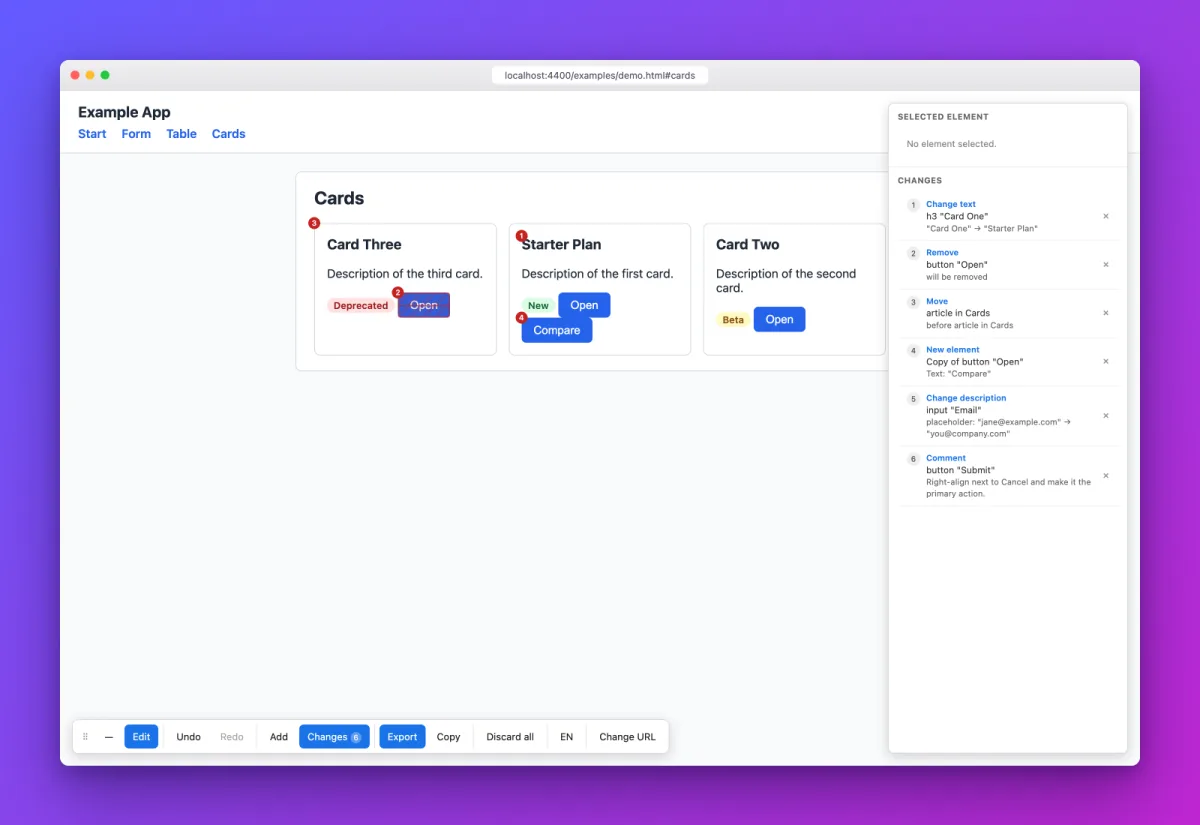
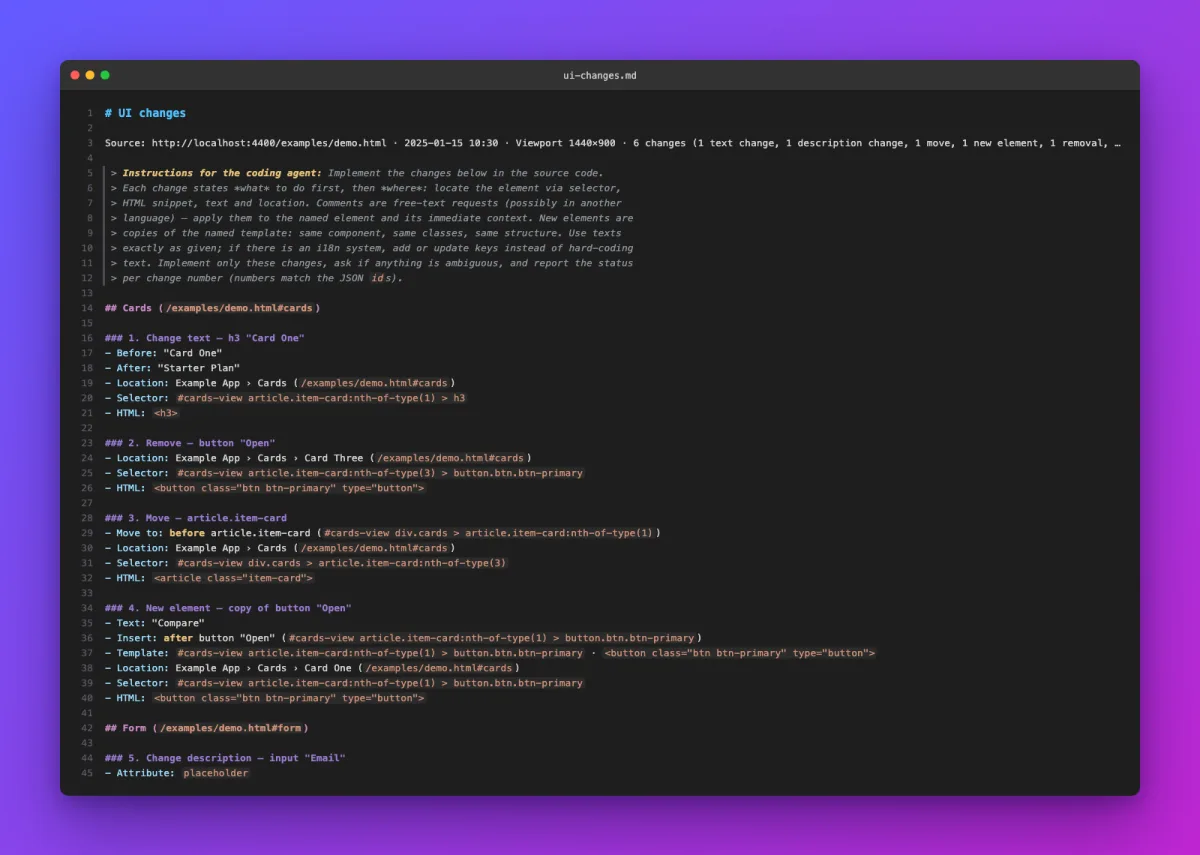
The result is a compact change list, ui-changes.md, readable by people and machine-readable as JSON, with several locators per element (selector, accessible name, text, HTML snippet, breadcrumb, URL). A coding agent such as Claude Code or Codex implements it exactly in the source code. nudgit itself never writes to the target app's code.
How it works
See it in action
Features
- Overlay via a local proxy — also works with apps that set CSP or X-Frame-Options
- Browser extension for Chrome and Edge: the same overlay right on the real page, without a proxy, for example for apps behind an SSO login or on remote servers
- Edit right on the real page: change text and descriptions, drag & drop to move, duplicate, add from a palette of similar elements, remove or comment, with quick-access icons per element
- Robust element identification with several locators: selector, accessible name, text, HTML snippet, breadcrumb and URL
- Exports as ui-changes.md — Markdown for humans and JSON for coding agents such as Claude Code or Codex, which implement the changes exactly in the source code
- Pick up where you left off: import a saved ui-changes.md or JSON file, replacing or appending to the current list
- The app's API calls to local backends and allowed hosts go through the proxy too, so CORS checks do not get in the way; bring your own CA certificate for internal HTTPS servers
- A start page with the URL, a save location for ui-changes.md and recently used URLs, plus a macOS app with its own Dock icon
- Runs fully local: no cloud, no login, no telemetry; by default the proxy is reachable only from your own machine
- English and German UI; ui-changes.md is always in English, since it is meant for coding agents

Write to me
Whether you have product feedback or want to discuss working together, your message comes straight to me. I reply myself.