

KeyZapper
The right key for every project.
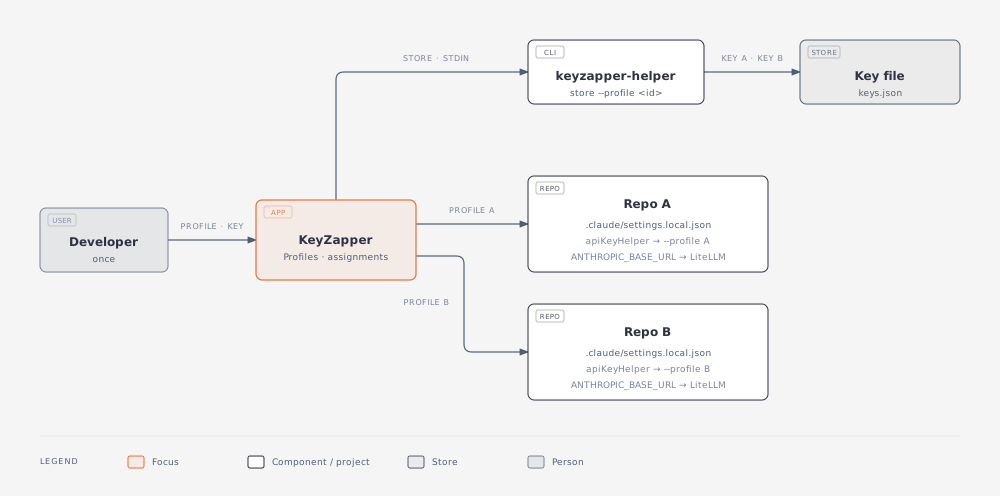
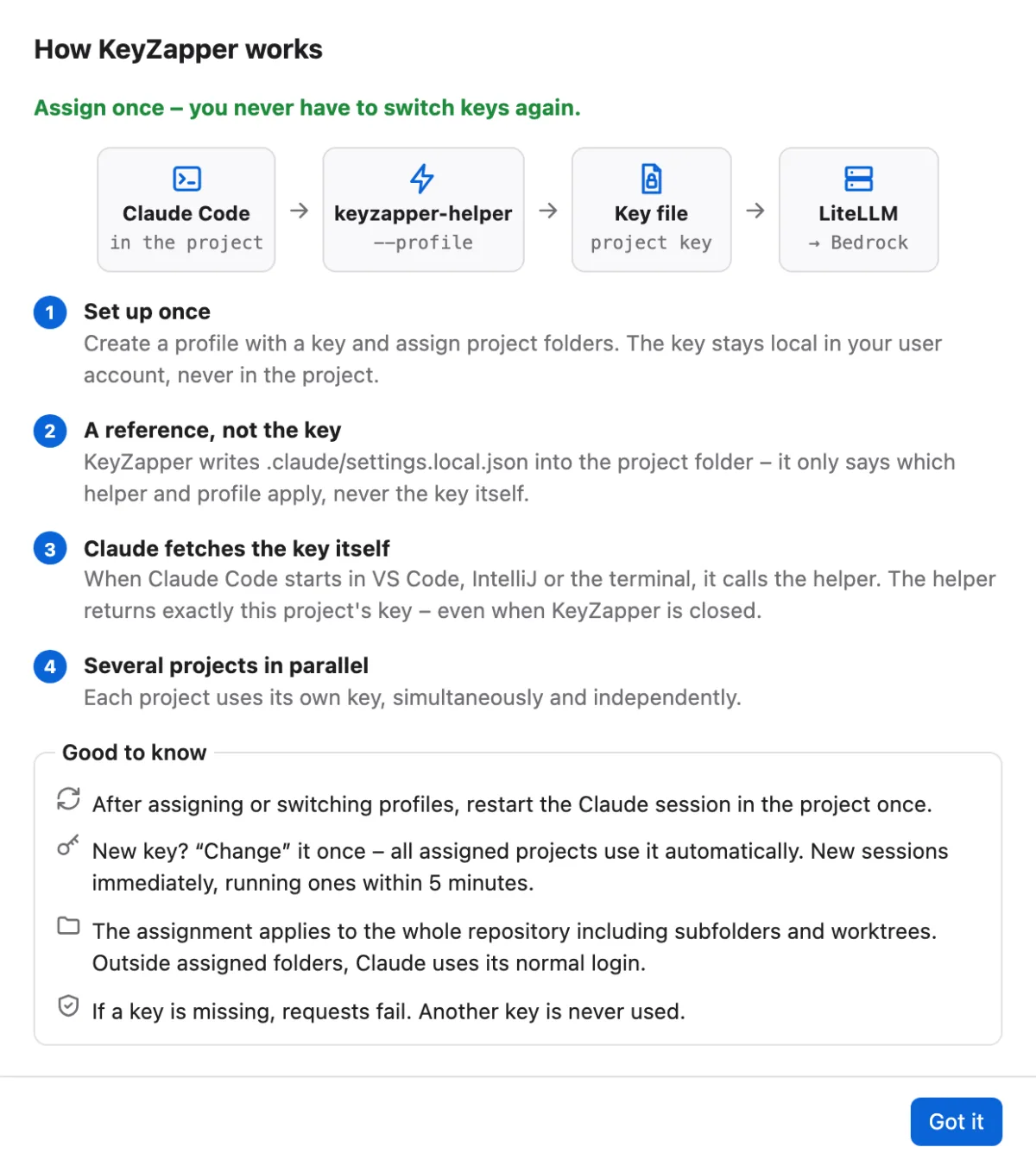
Manage approved LiteLLM keys on macOS and Windows and assign them to project folders. Claude Code then uses the right key automatically in VS Code, IntelliJ and the terminal, even with several projects open at once. No more manual switching, and LLM costs land in the right project's budget.
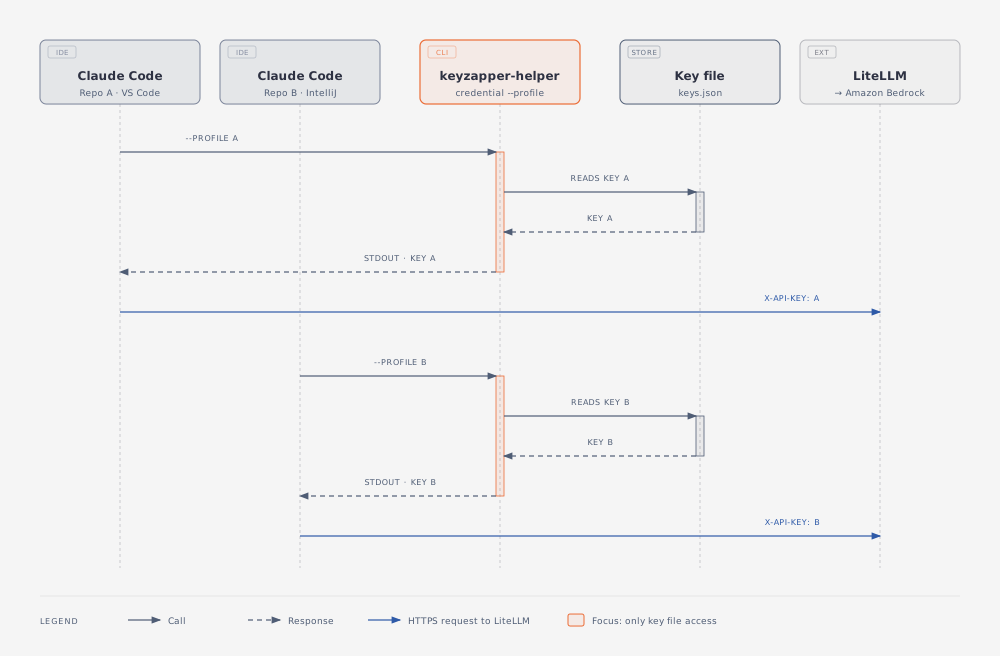
KeyZapper writes only a reference into the project, never the key itself. A small helper supplies the key from the app's local key file, even when the app is closed. Instead of fixed keys, profiles can also sign in via SSO; the helper then supplies a valid token. If a key is missing, requests fail instead of silently falling back to other credentials. For companies there are Intune packages for macOS and Windows with centrally managed profiles and policies.
How it works
See it in action
Features
- Desktop app for macOS 14 or later and Windows 10 or later
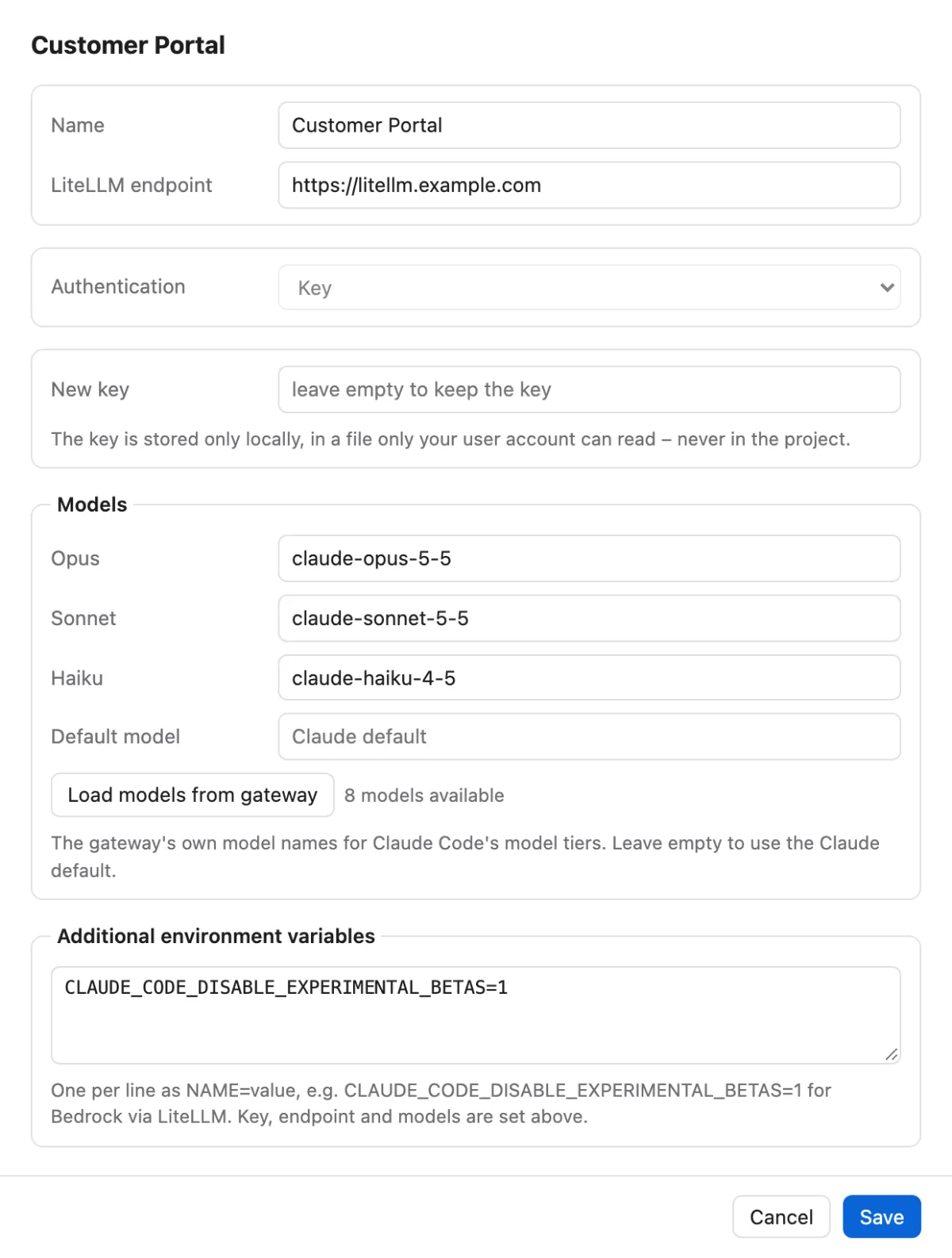
- Profiles with LiteLLM endpoint (https; plain http only for a gateway on localhost), key and the gateway model names for Opus, Sonnet and Haiku; keys live only in the app's local key file, never in the project
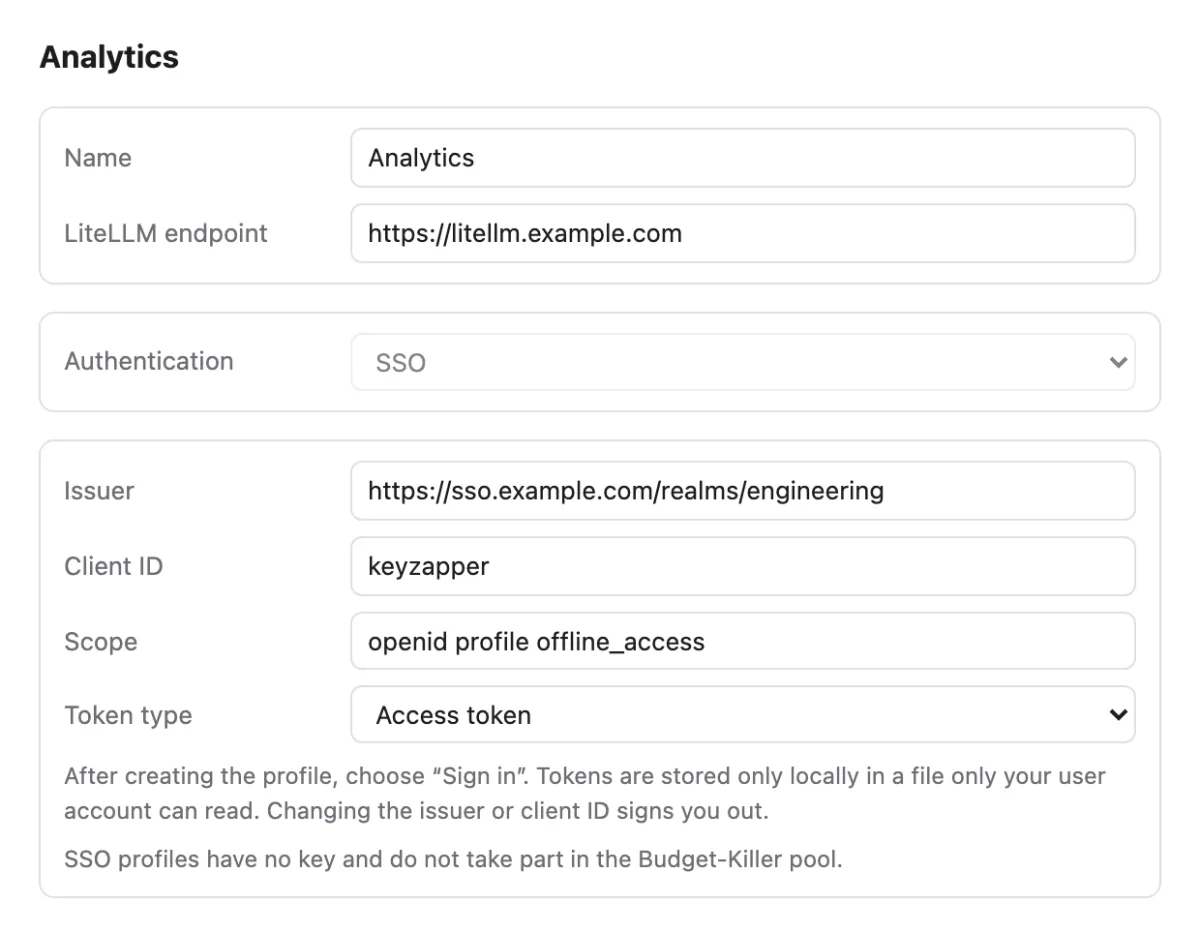
- SSO profiles: sign in via OIDC in the browser, for example through Microsoft Entra ID or Keycloak, instead of fixed keys; for gateways behind an OIDC proxy, with access or ID token selectable per profile
- Load models straight from the gateway: KeyZapper asks LiteLLM which models the key may use and pre-fills the model tiers
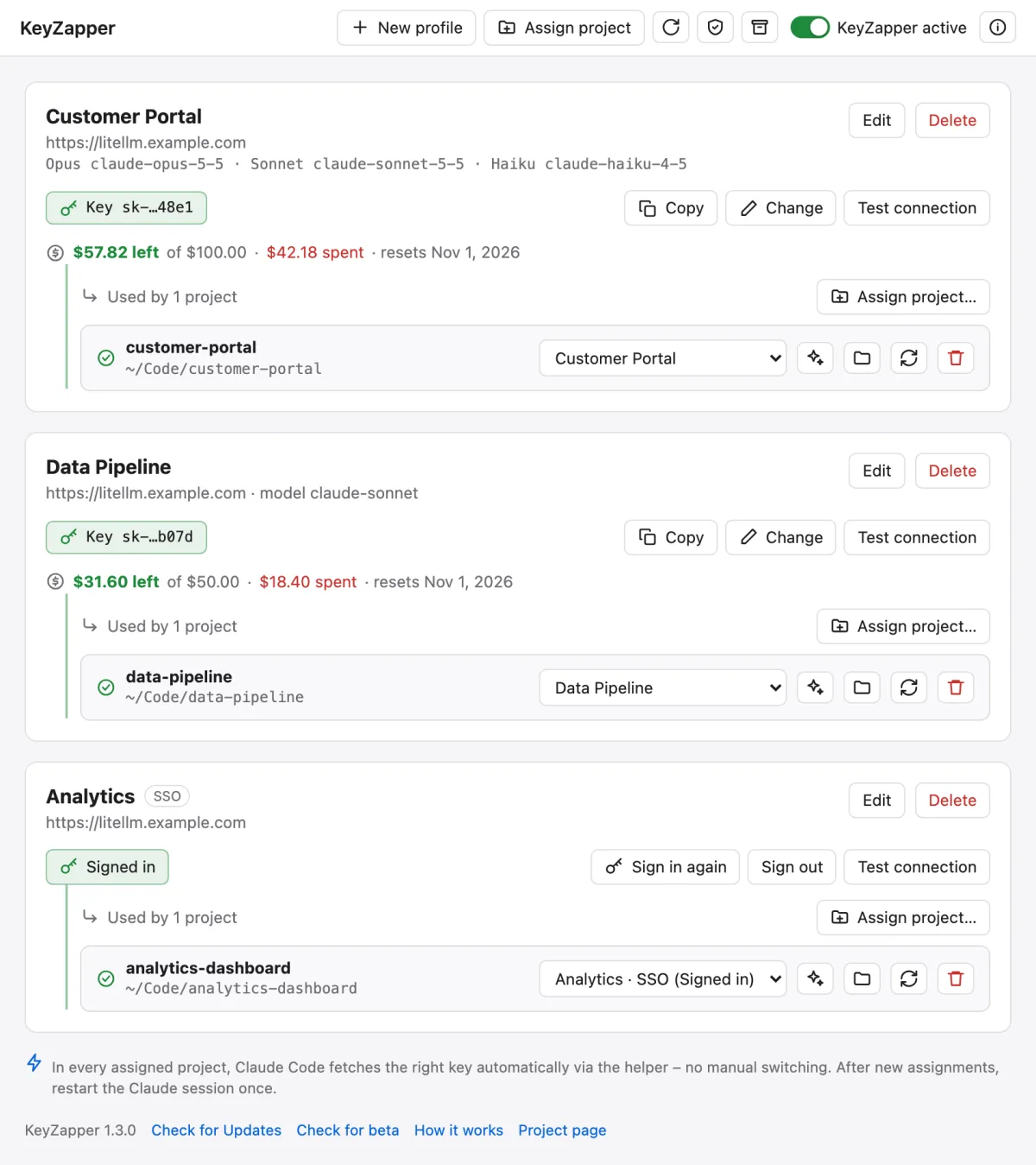
- Remaining budget per key from LiteLLM: what is left of the limit, spend so far and the next reset
- Assign project folders with one click, valid for the whole Git repository including subfolders and worktrees
- Optimize for agents: an AI analysis of the repository generates an AGENTS.md per project; it runs through the profile's gateway, is billed to the project key and written only after your review
- Several projects at once, each with its own key, in VS Code, IntelliJ and the terminal
- No silent switching: if a key is missing, requests fail instead of using other credentials
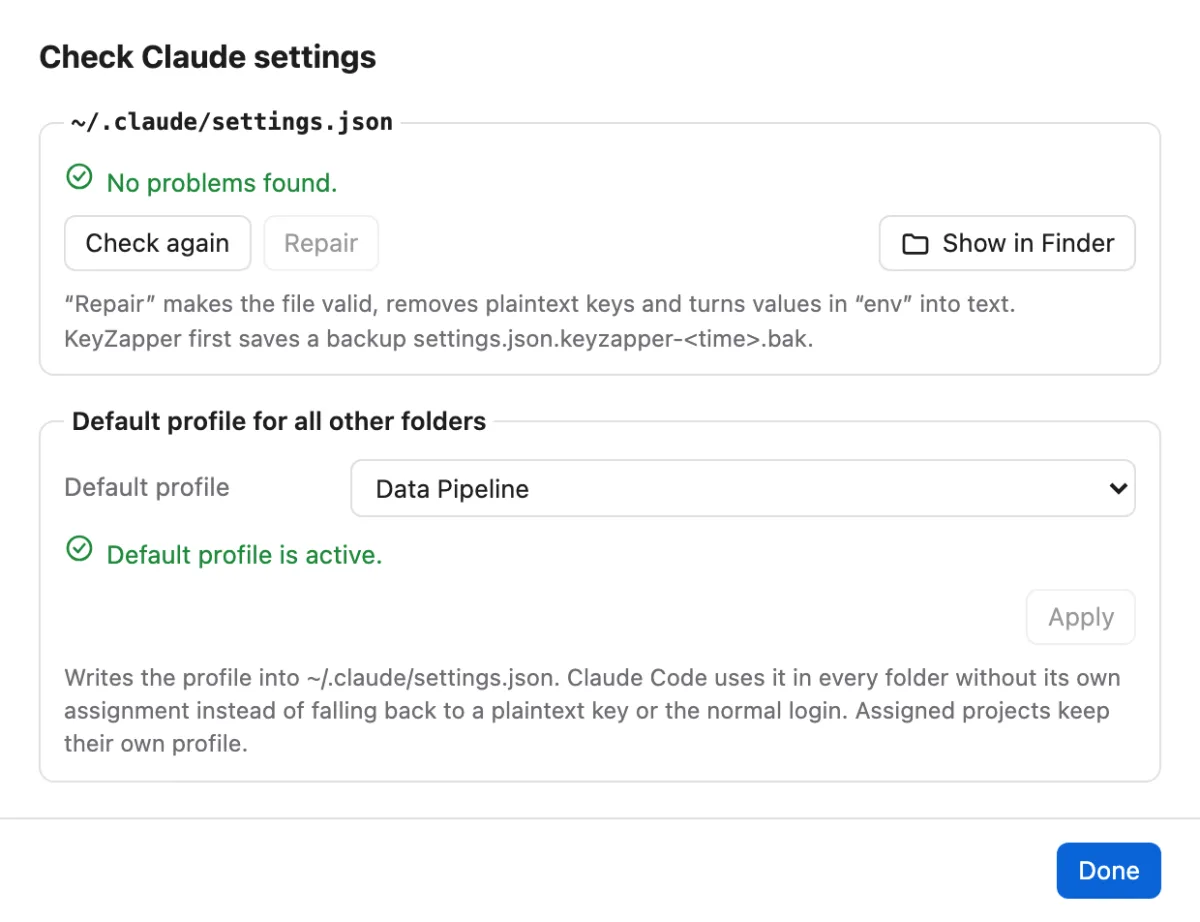
- Check of the global ~/.claude/settings.json for invalid JSON, plaintext keys, an endpoint without a key and other pitfalls, with repair and backup
- Default profile for all folders without their own assignment, instead of falling back to a plaintext key
- Overview with masked keys, copy and change, connection test against LiteLLM and status per project
- Deactivate and reactivate KeyZapper with a switch; the assignments are kept
- Distribution via Microsoft Intune on macOS (PKG) and Windows (MSI): predefined profiles including SSO, gateway allowlist plus export and update control
- Encrypted backup of keys and settings (AES-256-GCM) plus automatic OneDrive backup of the settings
- In-app updates with checksum and minisign signature verification: after you confirm with administrator rights, the update installs itself, KeyZapper restarts and shows once what is new
- English and German UI, MIT license

Write to me
Whether you have product feedback or want to discuss working together, your message comes straight to me. I reply myself.